Set up my Ecomail inbox on Mail for macOS
Set up your Ecomail inbox on the Mail app for MacOS
To check your Ecomail emails on the macOS "Mail" app, follow these steps:
Start by launching Mail
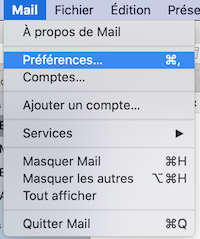
At the very top, click on "Mail" then "Preferences".
Go to the "Accounts" tab
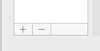
Click on the "+" at the bottom of the white section.
Choose "Other Mail Account" then "Continue"
Fill out the next screen with your first and last name, your Ecomail email address, and your Ecomail password.
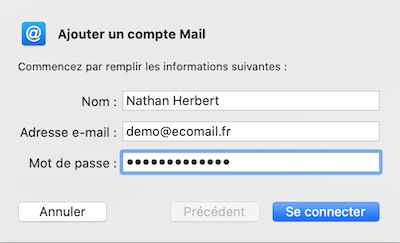
Click on "Log in".
The next screen asks you for more details.
In "Username" enter your Ecomail email address.
In "Password" enter your Ecomail password
In account type leave "IMAP"
In Incoming Server enter: imap-fr-par.ecomail.earth
In Outgoing Server: smtp-fr-par.ecomail.earth
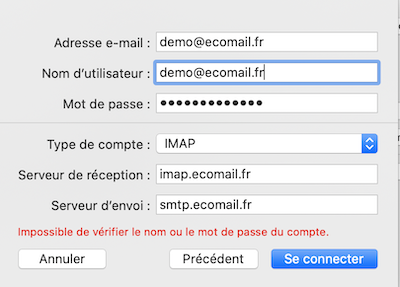
Click on "Log in".
macOS Mail will check your credentials then show you a final screen. Click on "Done".